Our Work / PC NET TECHS Project

From a website to
a working digital system.

For PC NET TECHS, a visual identity and public website grew into a connected digital operation: an interactive brand reference and card pages, advanced SEO, Schema.org data, PageSpeed-focused delivery, first-party analytics, custom content and design controls, and PC NET DESK.

The project at a glance

One public website. A wider operating scope.

The Glass City Intelligence system built PC NET TECHS. The project connects the public experience with content, design and reporting tools; the evidence below shows the delivered interface and documented capabilities.

The starting scope

A visual identity and public website for a managed IT provider, with service information and clear contact paths.

The delivery decisions

Astro with Wix-managed Headless content, reusable page structure, search metadata, and separate content and design controls.

What you can inspect

The public website, brand reference and supplied interface captures. Demonstrations and protected production records have different access and data.

What this demonstrates

Website and platform implementation. It does not establish a measured increase in leads, revenue or search traffic.

The scope

A website with its own operating system.

The public site evolved from Wix Studio to an Astro implementation with Wix-managed Headless content. Search architecture, structured data, and performance work support its public reach. Behind it, PC NET DESK and the Core Console bring together a first-party analytics layer, the Website Style Engine, a custom Website Builder, reporting, workflows, and administrative controls.

The production implementation and the public demonstrations have different access and data. This page describes the built system and its documented feature surface; it does not imply a measured revenue or lead-growth result.

The public website / desktop & mobile

A visual system that carries through every screen.

The luminous background, glass-like mark, typography, and interface details make the PC NET TECHS identity recognizable at a glance. Desktop and phone-width layouts are designed around their own imagery and reading space.
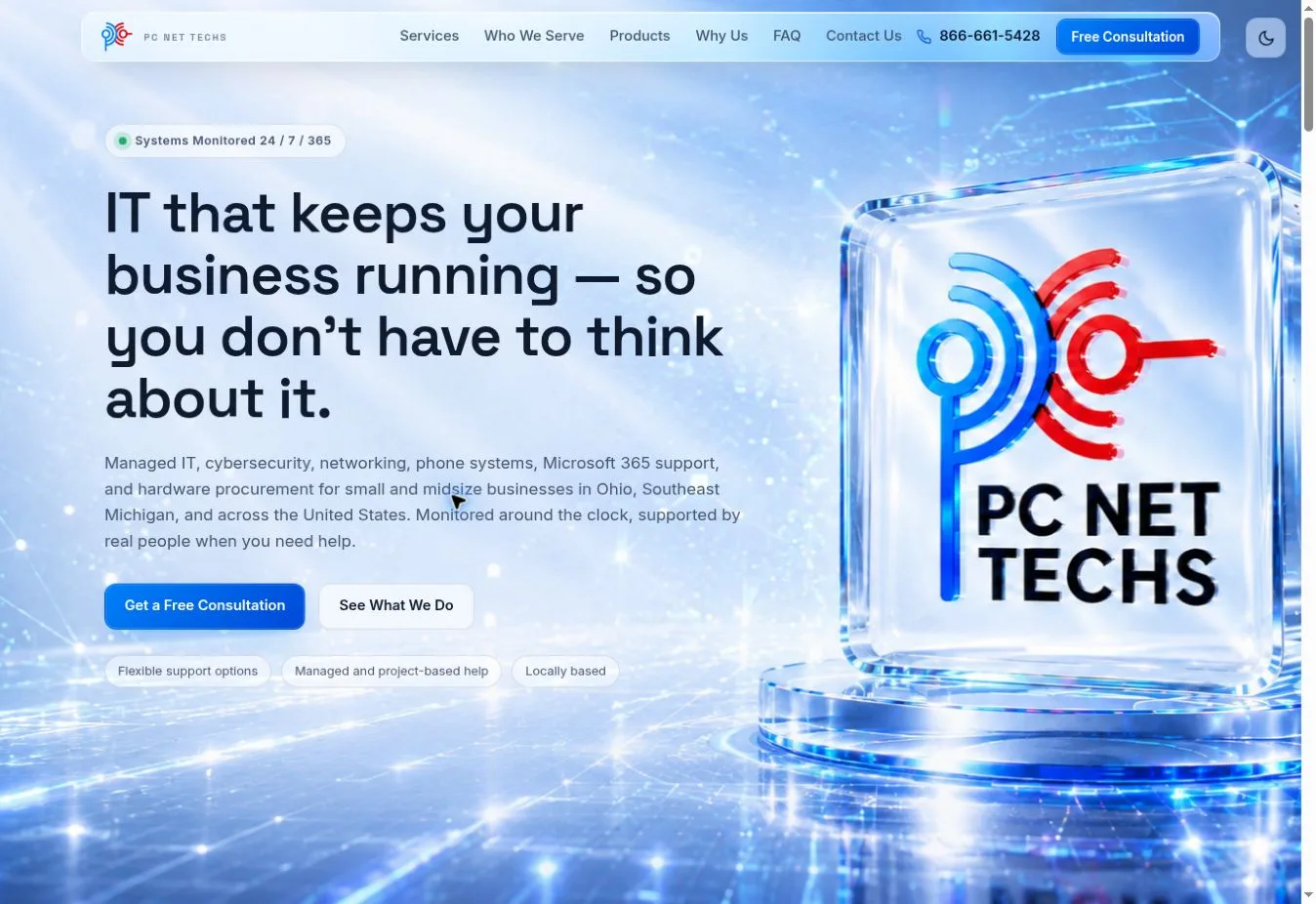
Live PC NET TECHS website on desktop, with service headline over a luminous blue network background and glass logo
Desktop websiteCaptured from the public site. Text and actions sit in front of the blue image treatment.
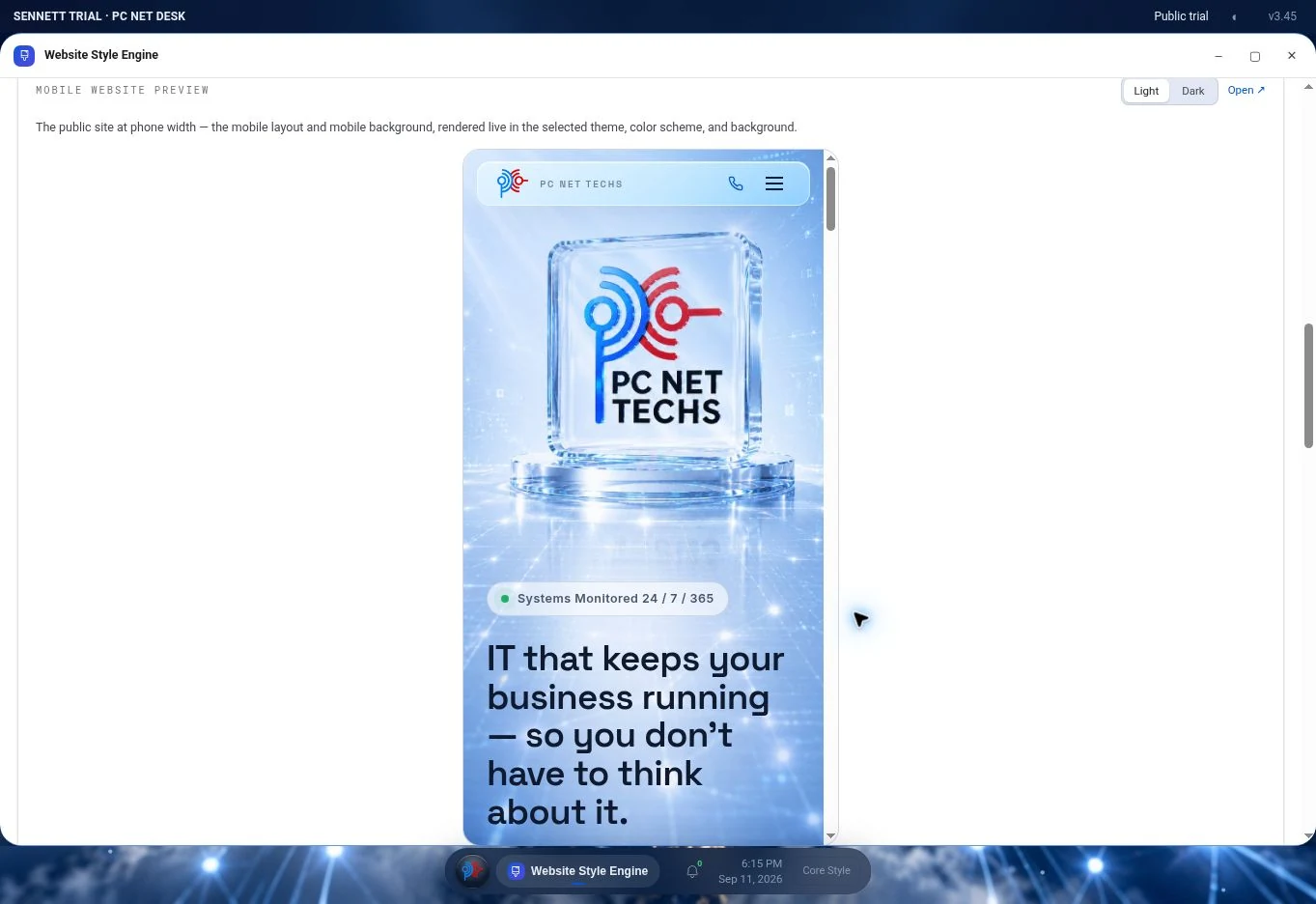
Phone-width PC NET TECHS website preview inside the public Desk Style Engine, showing the mobile hero background and logo
Phone-width previewThe public Sennett trial’s Style Engine renders the mobile site and its separate background.
400+development iterations

Maintained beyond launch

Built repeatedly.
Kept in service.

Across more than 400 GCI-reported development iterations, the public website, Core Console, and PC NET DESK have been refined through versioned changes, build checks, and live verification. Continued maintenance is part of the work itself.

The iteration count is reported by GCI. It is not a measure of business results or a service guarantee.
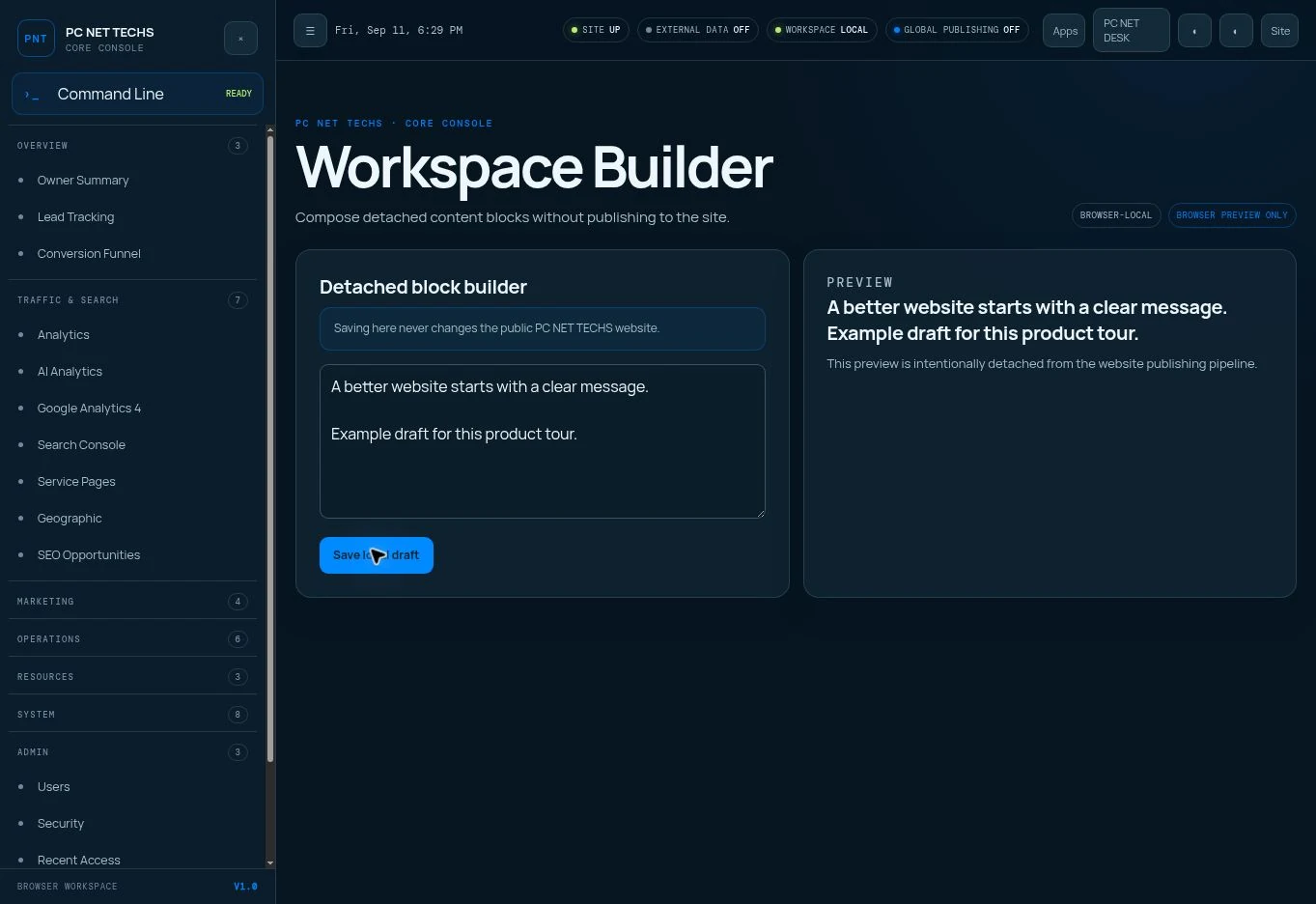
PC NET DESK Builder preview showing a website editing interface
Website Builder interface. The public material shows the controls without private business records.

Six connected areas of work

01

Identity & public website

A documented brand reference and interactive light and black business-card presentations, plus a Wix Studio website iteration, and an Astro public site with Wix-managed Headless content. The work covers responsive design, desktop and mobile visual backgrounds, service explanations, conversion paths, Schema.org structured data, canonical metadata, indexation, and PageSpeed-conscious delivery.

02

First-party analytics & visitor journeys

A site-owned visit log feeds the Core Console and PC NET DESK. It records page activity with timestamps, sources, device and browser context, and available approximate location and network information. Reporting groups repeat activity, surfaces journeys and engagement, and separates people from bots. Network data is contextual evidence, not proof of a person or employer.

03

Search, acquisition & marketing

Search strategy across services and locations, Search Console and GA4 reporting, AI crawler and AI-referred traffic analysis, service-page and geographic views, lead and conversion paths, website health, campaigns, call tracking, and competitor research. External feeds depend on their individual connections and permissions.

04

Website Style Engine

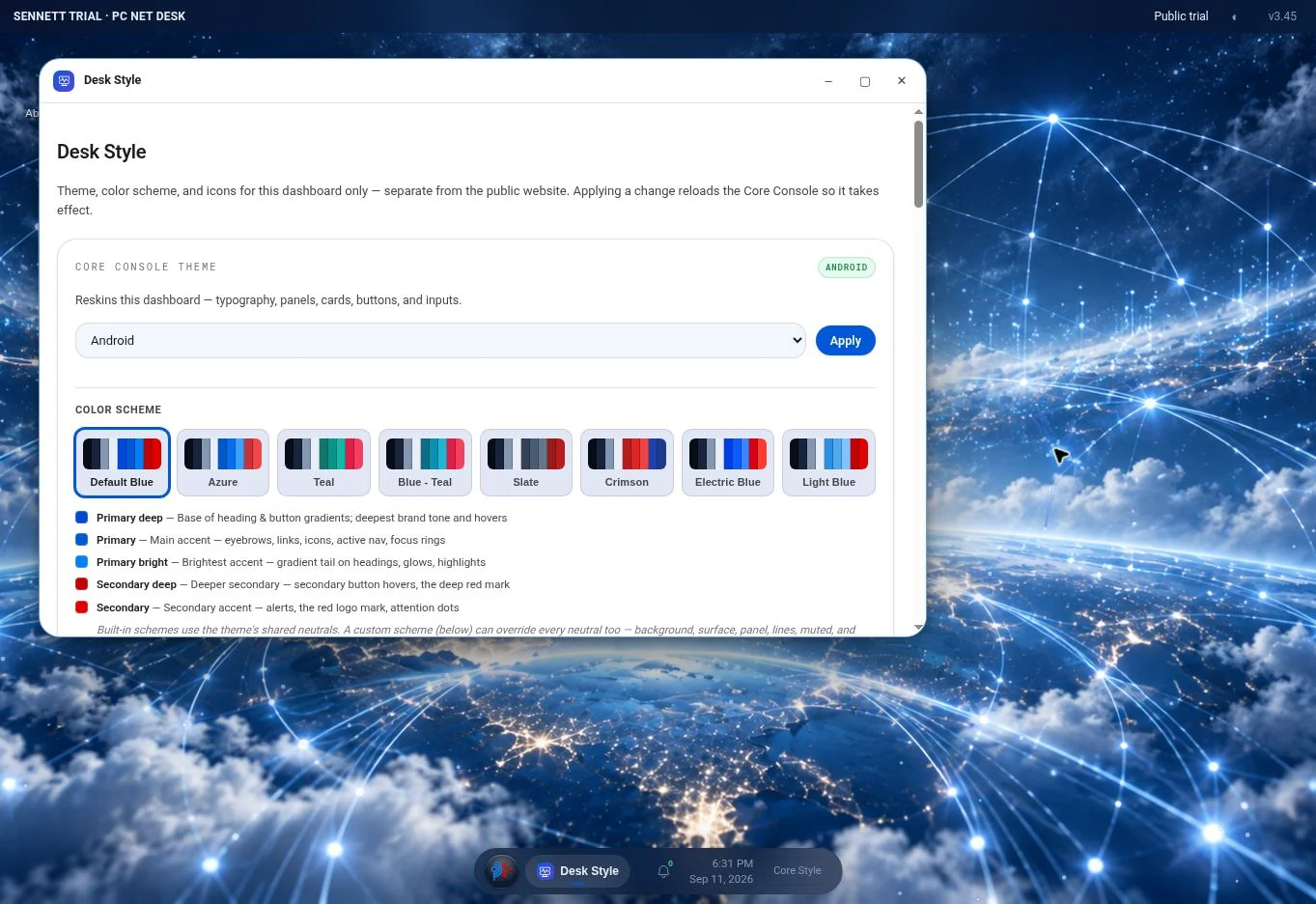
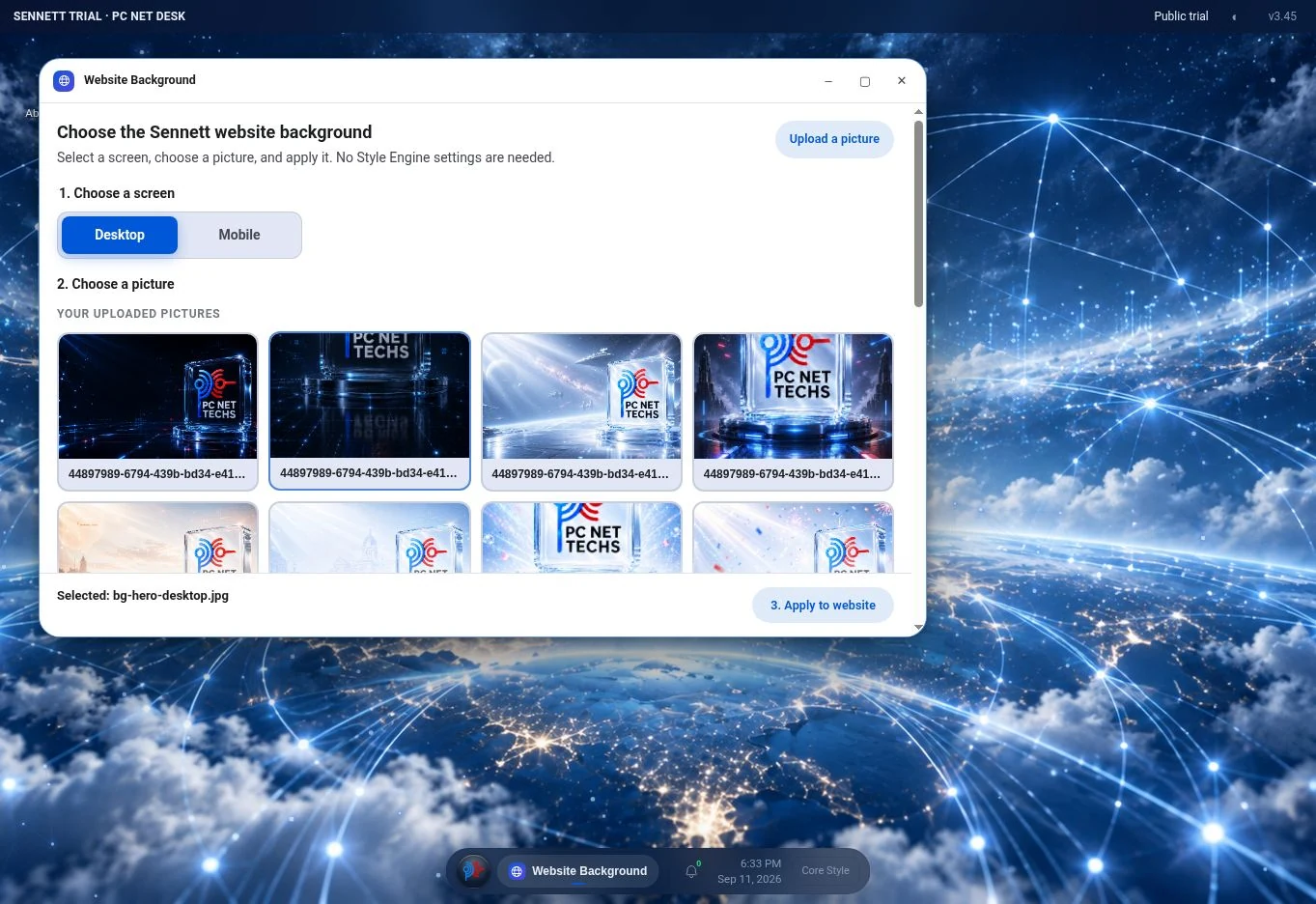
Visual controls for the public website, with separate styling for the Core Console and Desk. Themes, color schemes, typography, icon sets, desktop and mobile backgrounds, component sizing, per-page backgrounds, motion effects, and live previews make design changes manageable.

05

Custom CMS & Website Builder

A structured page editor with field controls, text fitting, repeaters and nested content, section ordering, logos, and design settings. A protected draft renders against the real page for preview; publishing creates a named page snapshot. Scheduled settings and review controls support planned changes.

06

PC NET DESK & operational tools

A desktop-style workspace and Core Console bring analytics, website controls, inquiries, tasks, approvals, calendar, reports, media, files, notifications, administrative tools, and defined agent commands into a shared operating experience.

Brand evolution / before & after

The familiar mark, brought into focus.

The underlying PC NET TECHS symbol remains recognizable. The earlier artwork used subdued blue and brick red with uneven overlaps and mixed lettering; the current identity uses vivid color, cleaner curves, and a more cohesive wordmark. The standalone mark now has room to work as an icon.


Earlier PC NET TECHS logo with muted blue and brick-red overlapping symbol and mixed-weight black lettering
Earlier identityMuted color, dark overlaps, and a visibly older wordmark treatment.
Current PC NET TECHS logo with vivid blue and red symbol above a clean black wordmark
Current identityBrighter color and cleaner visual separation at every size.
Current PC NET TECHS blue and red symbol shown by itself as the favicon artwork
Standalone faviconThe mark keeps its color and shape when the full wordmark is gone.

Drag across the change.

Slide from the earlier artwork to the current logo. The shared symbol makes the change in color, finish, and type easy to see.

Brand identity / from system to touchpoint

The brand has its own home.

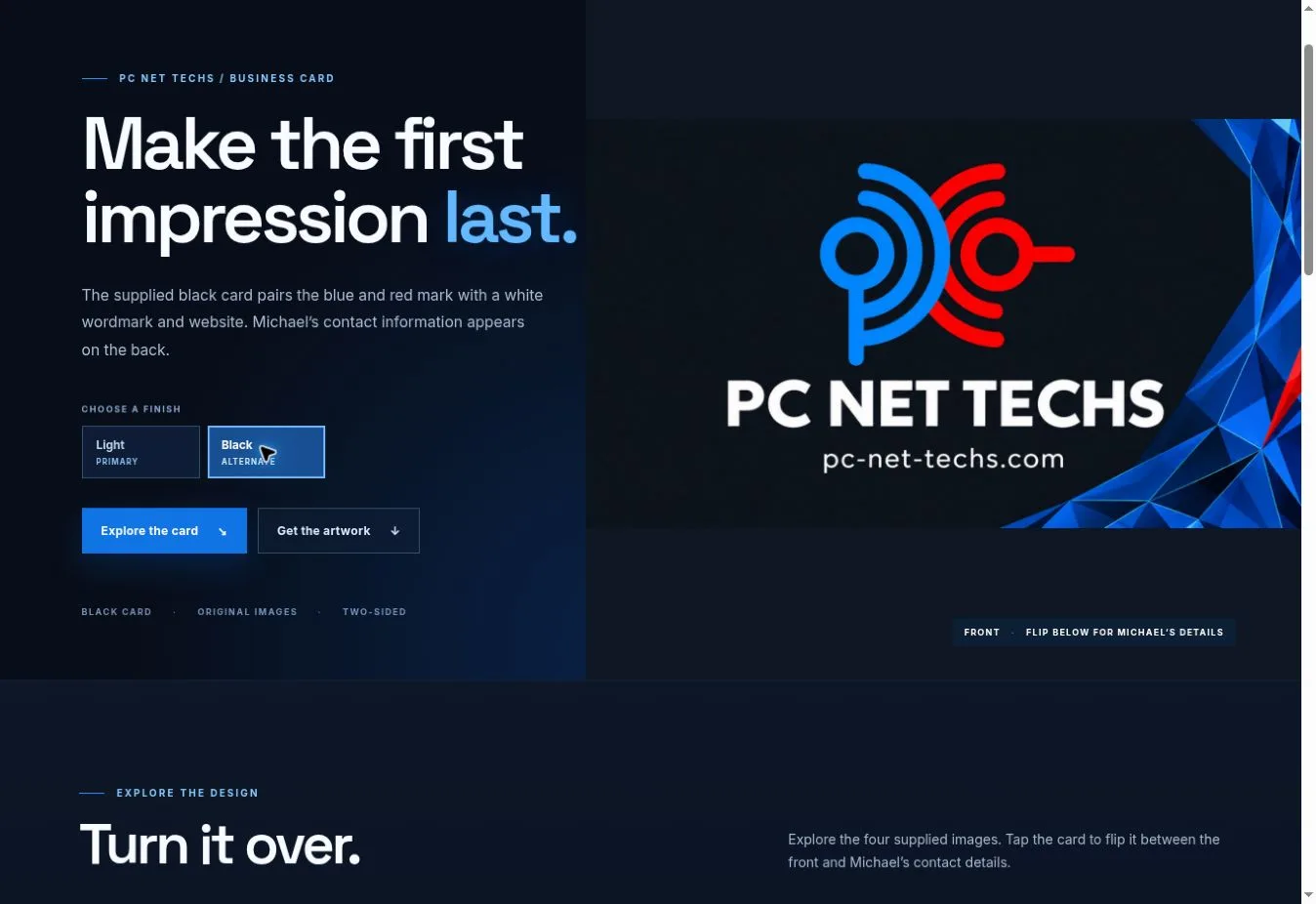
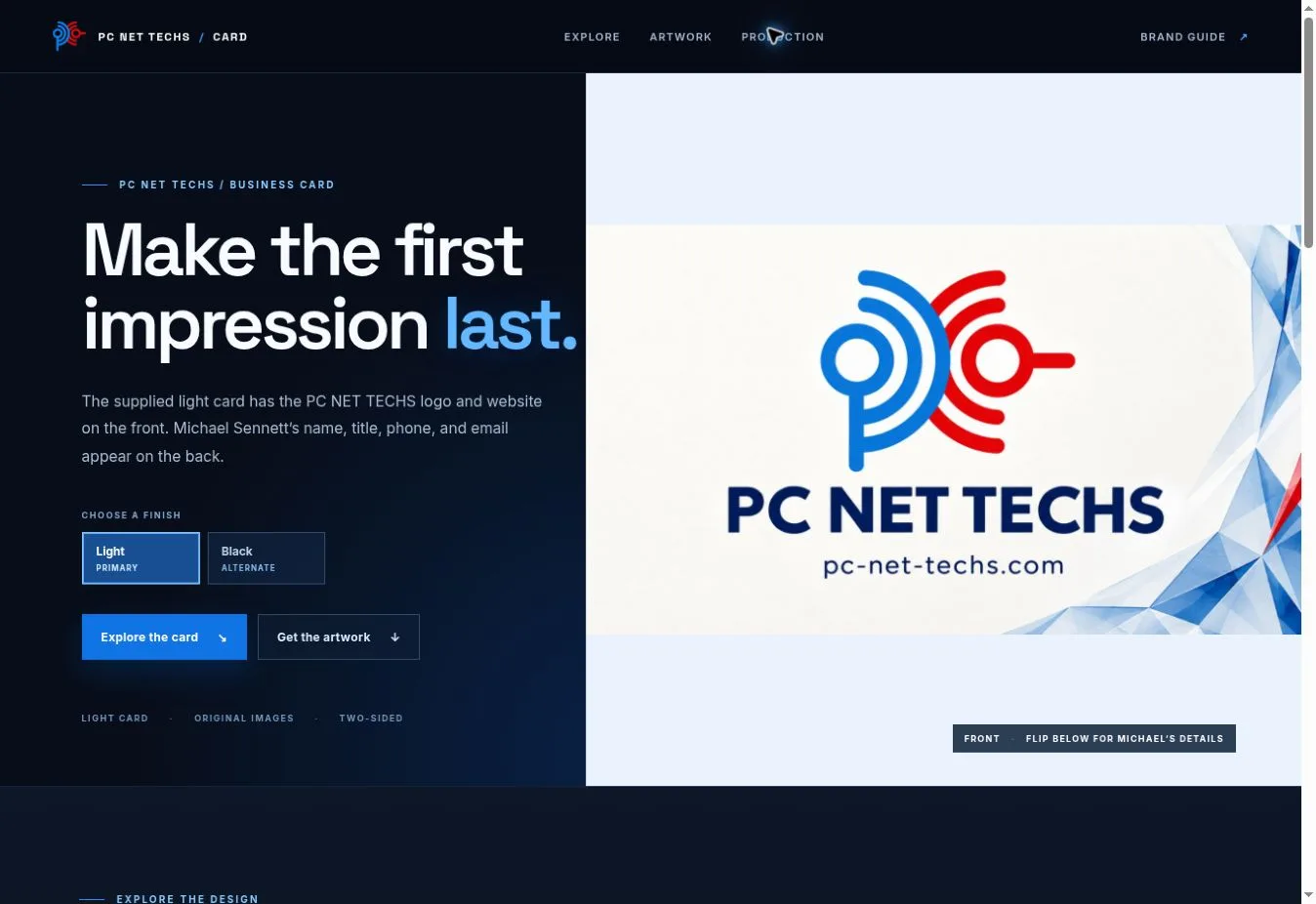
The public brand reference ↗ brings the supplied light and dark logo artwork, small mark, website color values, typography, usage guidance, and asset downloads together. The interactive card page ↗ presents both sides of the supplied business cards with light and black finishes, a flip interaction, and downloadable artwork.

These pages connect the identity used on the site and Desk to a tangible business touchpoint. The card images are design previews; a printer still needs to prepare final trim and bleed.
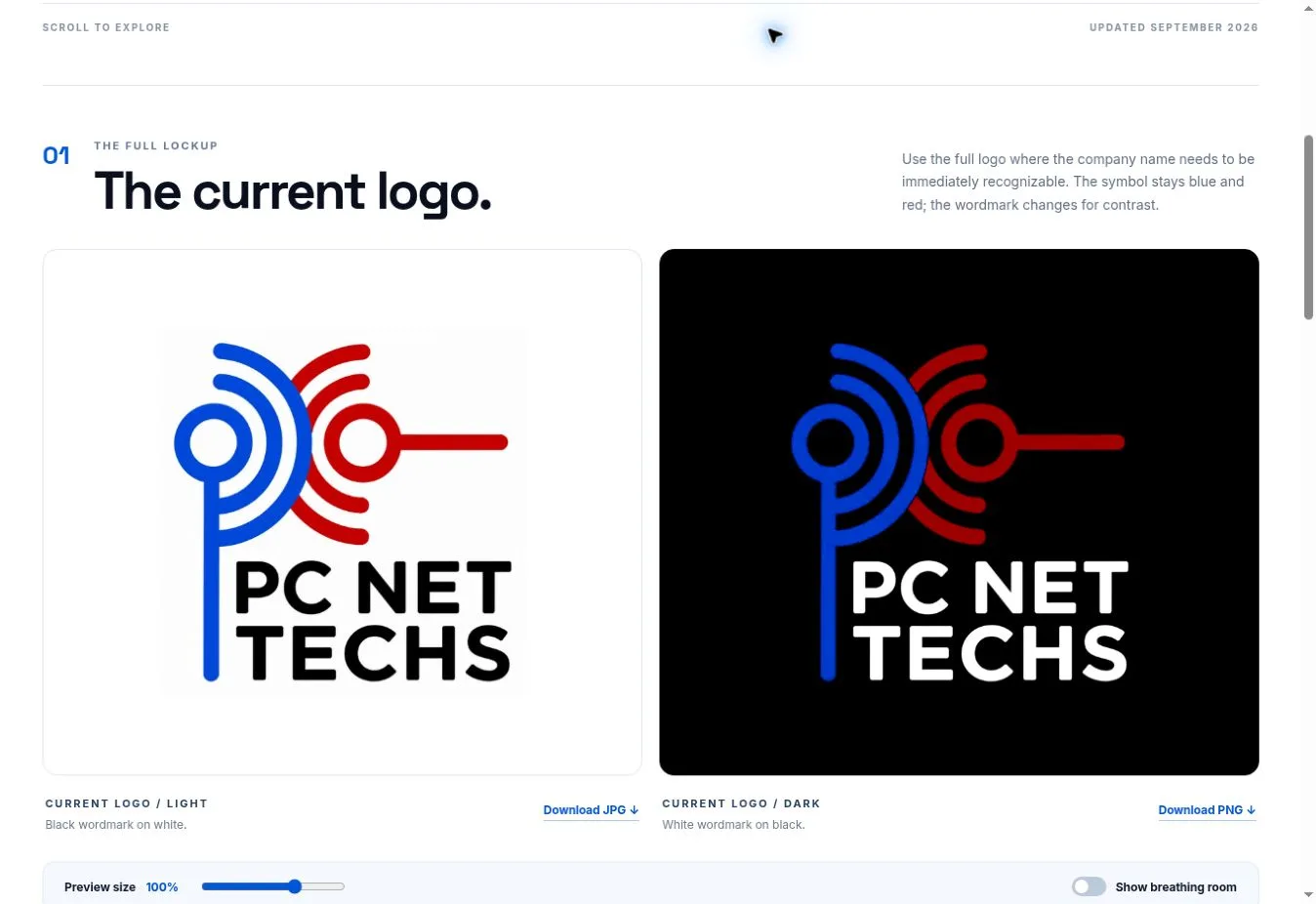
PC NET TECHS brand reference showing the supplied full logo in light and dark treatments
Current identityFull lockup in light and dark, with guidance for the favicon, colors, and type.
Interactive PC NET TECHS card page with the light front design and blue-red mark
Light / primaryInteractive presentation of the supplied card front and back.
Interactive PC NET TECHS card page showing the alternate black card front
Black / alternateThe same identity adapted to a darker finish.

Discovery & performance / built into the site

Search strategy with a technical foundation.

Visibility work extends beyond a title tag. The site’s structure, structured data, crawl behavior, content, and speed all affect whether people can find and use the right page.

Schema.org structured data

JSON-LD describes the business, services, and locations. FAQ data is generated from the same answers visitors see, keeping machine-readable information aligned with visible content.

Crawl & indexation control

Canonical metadata, an accurate sitemap for indexable pages, robots rules, and noindex boundaries help keep public service and location pages distinct from tools, drafts, and demonstrations.

Search-led content

Service and geographic page planning, Search Console query review, content gaps, technical SEO, and conversion-path analysis connect discoverability to useful visitor action.

PageSpeed-focused delivery

Responsive image choices, selective lazy loading, deferred noncritical scripts, and mobile layout decisions aim to make the experience faster. PageSpeed and Core Web Vitals remain ongoing review targets; no specific score is claimed here.

Inside the implementation / 01

First-party analytics, built into the platform.

The public site sends visit events to its own reporting layer. The protected Analytics app reads that log and brings the result into both the Core Console and PC NET DESK. It is a substantive part of the system, beyond an embedded third-party dashboard.

Capture & context

Page paths, timestamps, referrers and campaign sources, browser and device context, engagement events, and available approximate geography and network information.

Understand the journey

Daily and period views, top pages and sources, visitor and visit views, repeat activity, page sequences, engagement, and conversion paths. Filters distinguish human traffic, bots, public pages, and other supported scopes.

See AI traffic accurately

Separate AI crawler and fetcher access from visits referred by AI services. A crawler arriving at a page does not establish that a service recommended the business to a person.

Connect the wider picture

GA4, Search Console, lead and call sources, campaign reporting, SEO opportunities, and competitor research provide additional views where the underlying services are connected.

Location and organization labels derive from available network data and can be incomplete or wrong. The visitor records and any associated replay links remain inside protected tools.

Inside the implementation / 02

Design and content controls that belong to the website.

Style Engine

Shape the experience

Switch visual families, tune custom color schemes and neutrals, choose fonts and icons, set separate desktop and mobile imagery, adjust component scale, and control animated effects, pointer response, and page backgrounds. The website, Console, and Desk can have distinct appearances.

Custom CMS / Builder

Edit with structure

Registered fields, repeatable cards and nested content, section order, logo and design controls, and text fitting let an editor change a page without breaking its composition. Work happens in a protected draft with a rendered preview before a named page snapshot is published.

Scheduled operations

Plan and review changes

Supported website settings can be scheduled once or on a recurrence. Tasks, approvals, change history, and notifications put routine publishing work into the same workspace as the site and its measurement.

PC NET DESK / Documented feature map

The full platform surface.

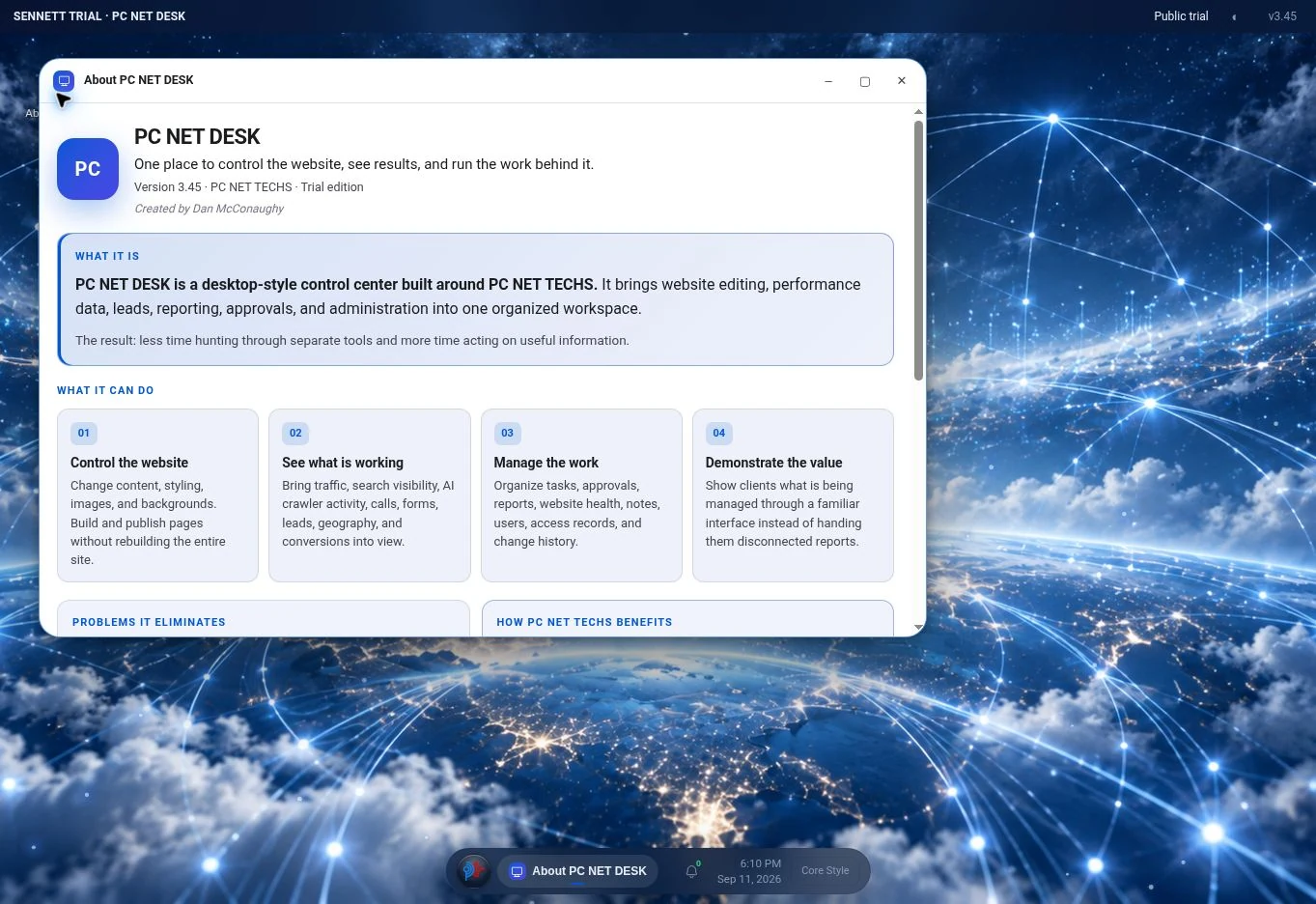
These module groups come from the public PC NET DESK guide. They show the breadth of the product across workspace, measurement, design, content, operations, and agent interfaces. Individual integrations and public trials have different data access and connection states.

01Workspace & everyday tools10 features
  • PC NET DESKA desktop workspace for website operations, reporting, and everyday work.
  • App launcher & window controlsFind apps and manage what is on screen.
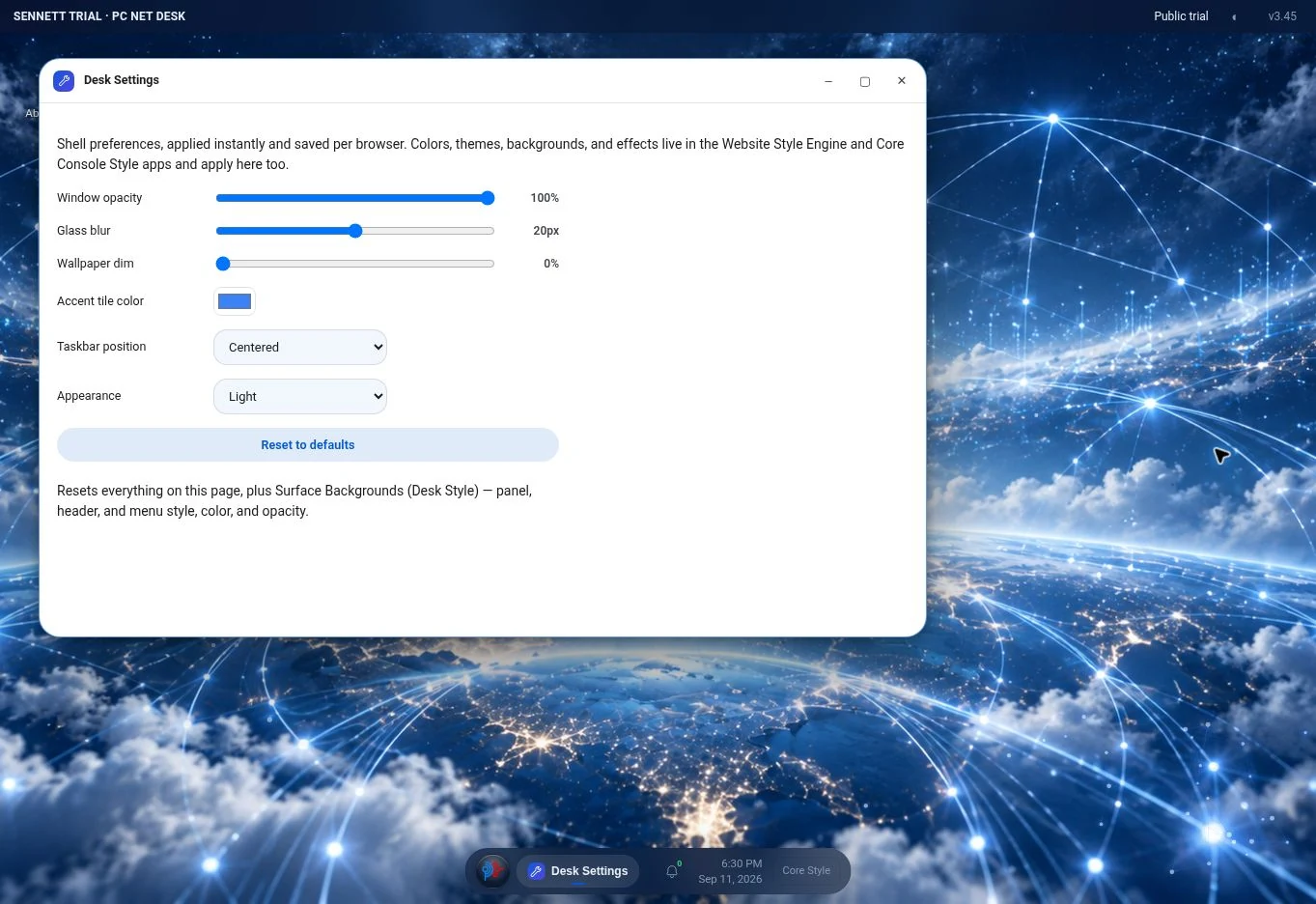
  • Desk & Core Console SettingsManage the operator’s workspace preferences.
  • NotificationsReview supported workspace and access updates.
  • Photo Gallery & CameraCapture, upload, and reuse images.
  • Asset LibraryOrganize logos, images, icons, and documents.
  • Web BrowserOpen a website from a contained workspace view.
  • Installable website, Console & DeskLaunch the three experiences as separate installed web apps.
  • Saved window layouts & preferencesReturn to a familiar arrangement of work.
  • Mobile workspace behaviorUse the same apps on a smaller screen.
02Analytics, search & marketing15 features
  • Owner SummarySee website performance and operational priorities together.
  • Lead TrackingTrack inquiries, their sources, and their progress.
  • Conversion FunnelFollow the journey from arrival to inquiry.
  • First-party AnalyticsReview recorded website visits and visitor context.
  • AI AnalyticsTrack detected AI crawlers and visits referred by AI services.
  • Google Analytics 4Review acquisition, engagement, page activity, and events.
  • Search ConsoleTrack search queries, visibility, clicks, and page performance.
  • Service PagesCompare attention and response across services.
  • GeographicSee where website attention comes from.
  • SEO OpportunitiesTurn search performance into a list of improvements.
  • Meta / Facebook AdsReview paid campaign delivery and response.
  • Social OrganicTrack the reach and response of organic social content.
  • Call TrackingInclude telephone inquiries in acquisition reporting.
  • Website HealthReview the website’s operational condition.
  • Competitor SnapshotCompare competitors’ visibility, services, reviews, and website presentation.
03Visitor intelligence8 features
  • Visitor profilesUnderstand who is visiting at the level the available evidence supports.
  • Company, location & deviceSee the setting behind a visit.
  • Traffic sources & campaignsTrack where visitors came from.
  • Page paths & journeysSee the pages a visitor viewed and their order.
  • Time & engagementMeasure how long visits and page interactions last.
  • Clicks, events & conversionsTrack the interactions that move a visitor forward.
  • Return visits & continued interestRecognize repeat activity in the available reporting window.
  • Intent analysisInterpret why a visitor may have come.
04Competitor intelligence4 features
  • Search & content gapsCompare discoverability and useful topic coverage.
  • Services & positioningReview how alternatives describe their offer.
  • Reviews & website experienceAssess trust signals and the experience competitors present.
  • Research to actionConnect a competitive gap to a website improvement.
05Work & reporting8 features
  • FormsReview inquiries and record follow-up.
  • Tasks / To-doCreate, complete, and remove work items.
  • Approval CenterRecord a review decision.
  • CalendarPlan dated work and milestones.
  • Clock & heartbeatInspect time and automation-runner activity.
  • Monthly ReportsReview performance across reporting periods.
  • Strategy / Client NotesKeep decision context and priorities available.
  • Change LogReview recorded changes and releases.
06Website & design17 features
  • Website Style EngineControl the look of the selected website.
  • Website BackgroundChoose separate images for desktop and mobile.
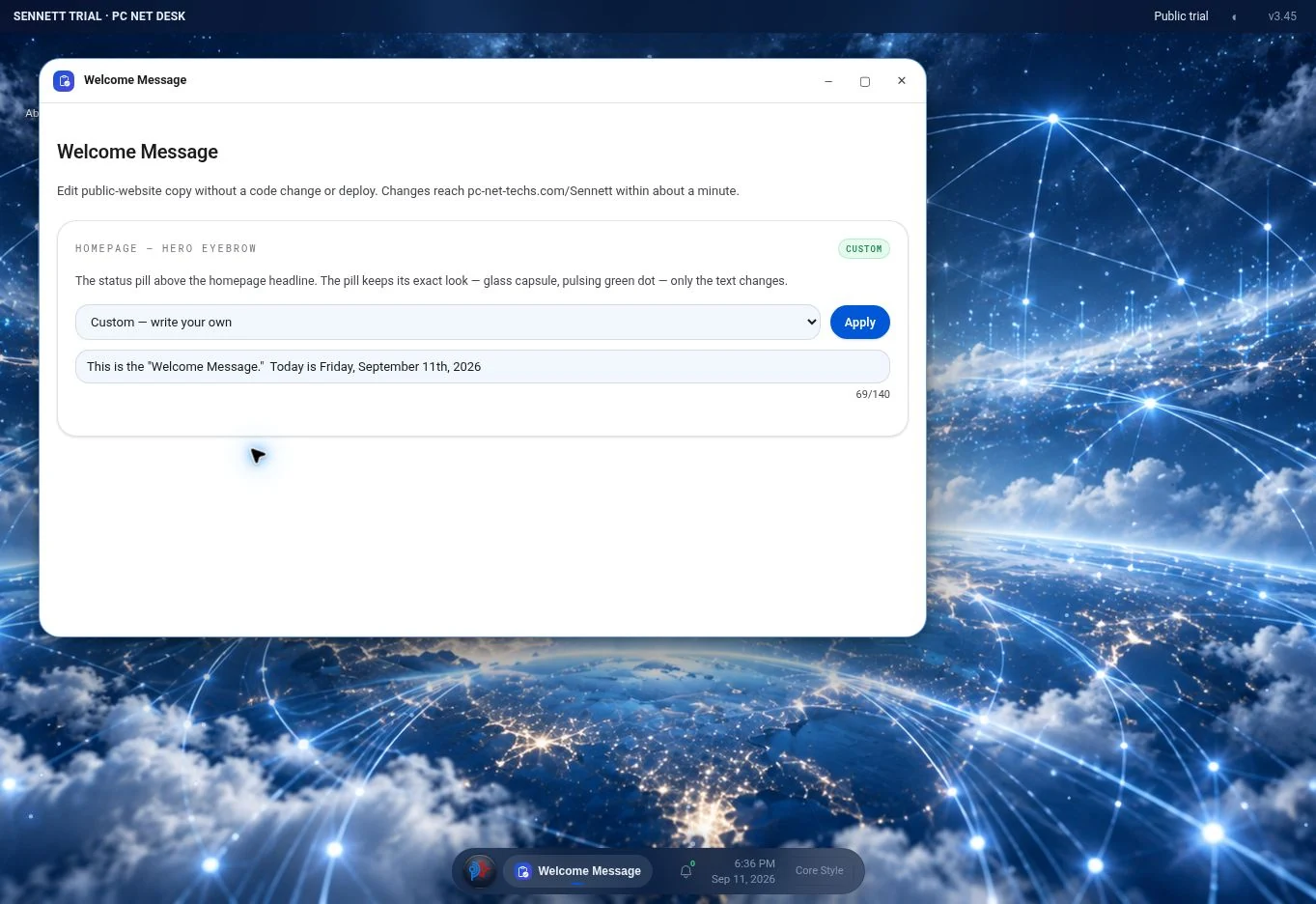
  • Welcome MessageUpdate the website’s introductory message.
  • Website BuilderEdit a structured draft and publish a named page.
  • Color Scheme BuilderCreate and reuse coordinated palettes.
  • Core Console StyleTune the dashboard’s own appearance.
  • Desk Style & Desk BackgroundCustomize the desktop shell.
  • Six visual familiesChange the character of the website or workspace.
  • Independent typography & icon familiesFine-tune identity within a chosen theme.
  • Light, dark & custom neutral colorsKeep both color modes intentional.
  • Ten animated background effectsGive a page a controlled sense of motion.
  • Pointer, click & touch responsesControl how an effect reacts to the visitor.
  • Reusable effect presetsSave a motion treatment and use it again.
  • Mobile reading glass & scroll blurAdjust the background as the reader moves through a page.
  • Component size controlsAdjust the density of supported page elements.
  • Per-page background inheritanceGive a registered page its own background.
  • Console panels, header & menu surfacesTune the structure around the work.
07Website Builder engine10 features
  • Field selection & text fittingEdit the website’s registered content in context.
  • Repeaters & nested contentBuild out cards, lists, navigation, products, and FAQs.
  • Section orderArrange the body of the page around its purpose.
  • Design & logo controlsGive the draft a complete visual identity.
  • Draft scope & rendered previewReview a page before exposing the next version.
  • Named pages & snapshotsPublish a dedicated page at a chosen destination.
  • A registered content modelEdit a known part of the page with predictable rules.
  • Bounded components & directional movementRearrange supported groups without losing their structure.
  • Text restoration with a defined scopeReturn copy to its original wording.
  • Content boundaries & shared structured dataKeep editable copy consistent with the page’s behavior.
08Website automations4 features
  • Scheduled setting changesPrepare changes to 32 supported website settings.
  • One-time, daily & weekly schedulesChoose when a website setting should take effect.
  • Action managementControl the schedule as plans change.
  • Execution & heartbeatApply due changes and leave an execution record.
09Administration & automation11 features
  • UsersReview authorized users and provision ordinary platform accounts.
  • Recent AccessReview administrative access history.
  • Security & Emergency LockControl access to administrative tools.
  • AutomationsSchedule supported website settings to change.
  • Console command interpreterUse defined commands for supported operations.
  • FilesBrowse the implementation from the workspace.
  • Build NotesKeep architecture and operating knowledge accessible.
  • Passkey registration & device managementUse a device-backed credential for protected access.
  • IP access policyManage the network addresses allowed by the configured policy.
  • Denied-access alertsMake rejected access attempts visible.
  • Emergency Lock & recoveryPause protected changes during an incident.
10Demonstration & presentation4 features
  • Demo ModeWalk through the platform’s feature surface.
  • Presentation ModePresent the workspace as an organized story.
  • Voice ModeRead supported interface summaries aloud.
  • About PC NET DESK & Core ConsoleUnderstand the platform’s purpose and feature surface.
11AI readiness & agent workflows9 features
  • Created for people and agentsGive software agents understandable ways to operate the platform.
  • Discoverable command vocabularyFind the supported operations before acting.
  • A JSON command contractSubmit a defined operation and read its result.
  • Shared visual and command behaviorReach the same underlying operation in two ways.
  • Typed targets & explicit scopesTell an agent exactly what can change.
  • Authorized agent operationCarry the operator’s access rules into automated work.
  • Read, act & verifyCheck the outcome before reporting completion.
  • Machine-readable referenceLet an agent consume the same feature and technical model as a reader.
  • AI discovery & traffic visibilityUnderstand how AI systems encounter the website.
Read the technical guide

A product within the work

PC NET DESK

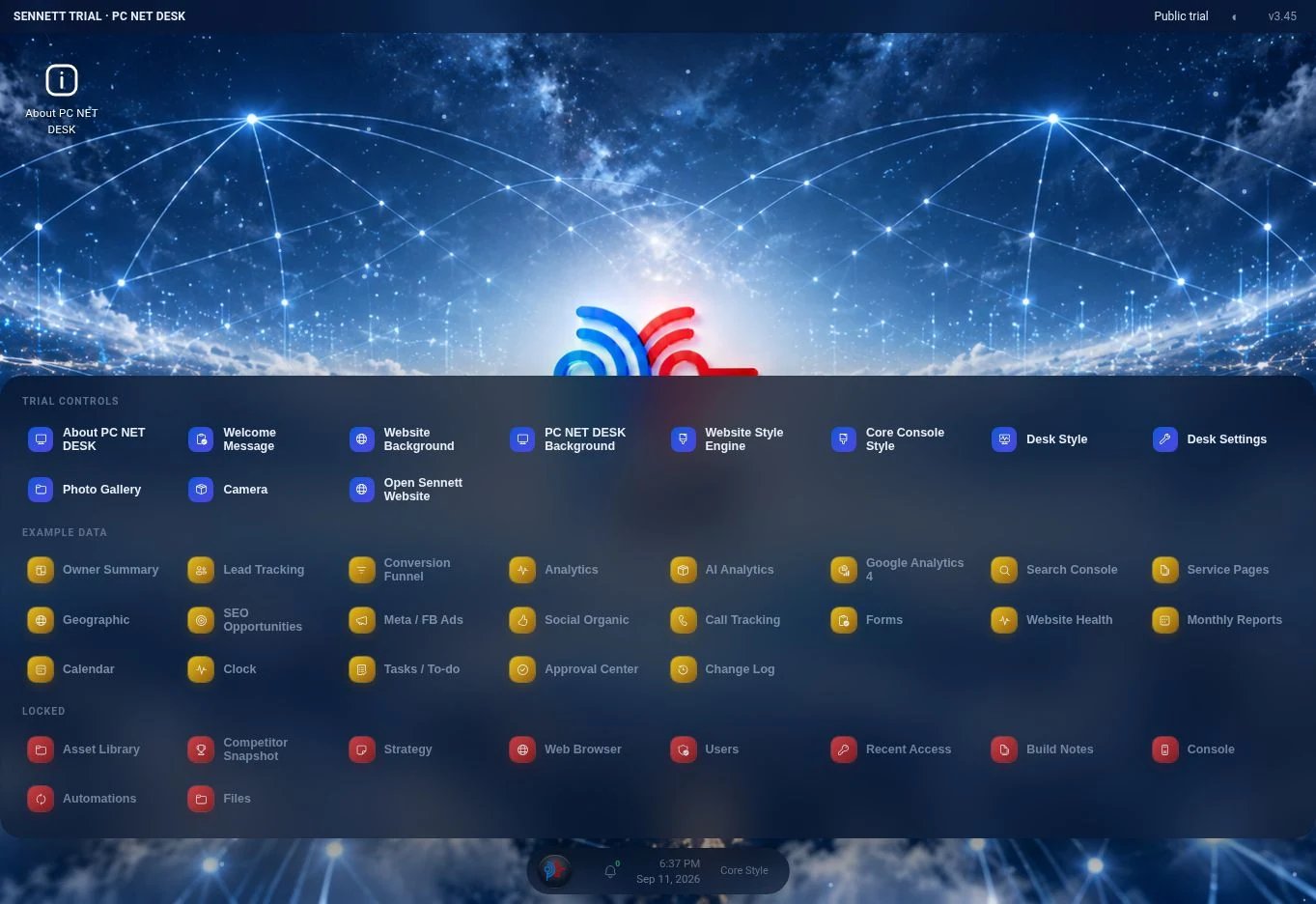
The desktop-style workspace opens analytics, content, style, marketing, and operational apps in movable windows. Its companion Core Console offers conventional navigation to the same working areas, with administrative access kept separate from the public website.

The GCI-hosted interactive examples are demonstrations with browser-local data. The separate PC NET TECHS implementation contains protected, connected functions; an example shown here does not grant access to those live records.

Explore the public product guide
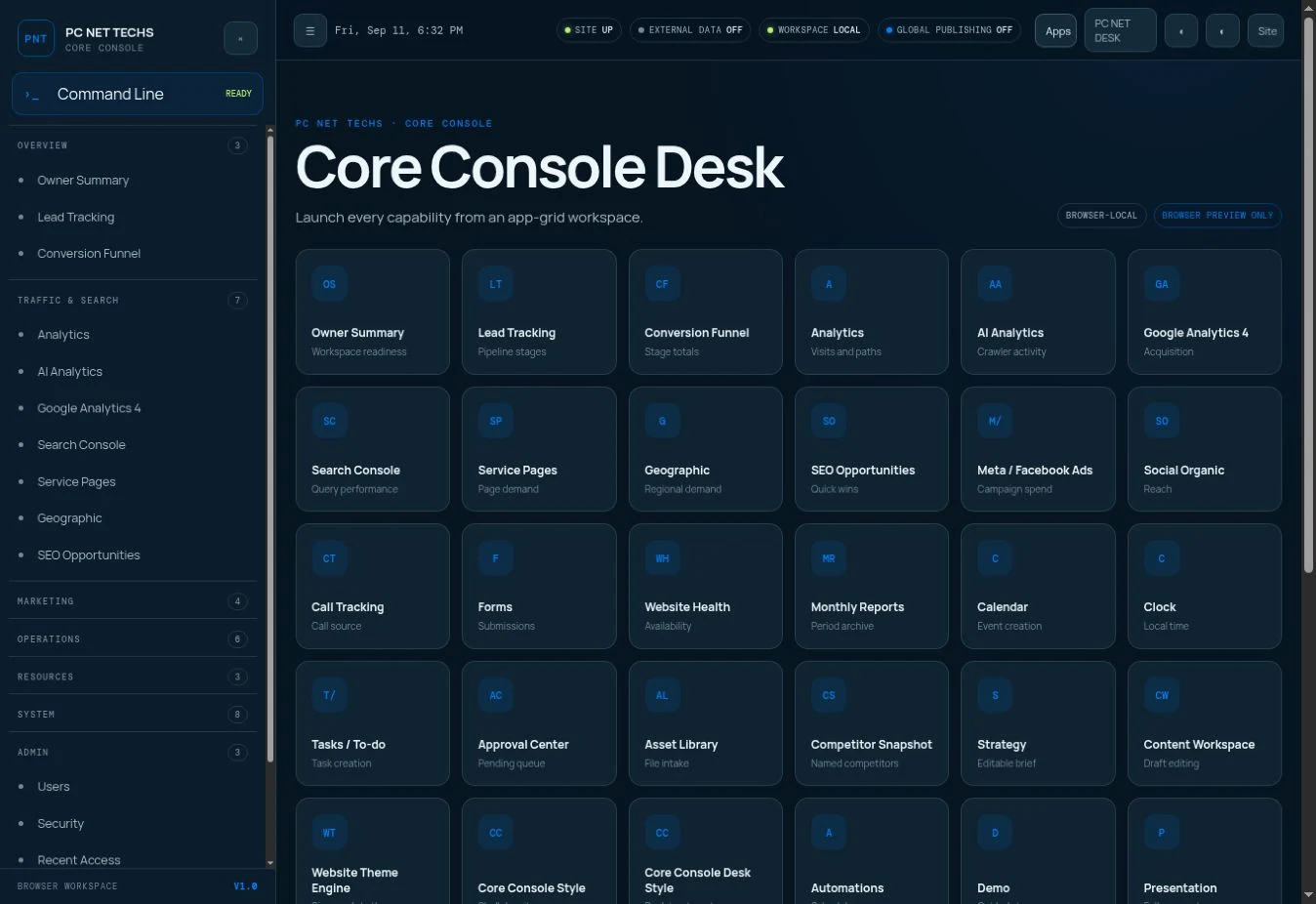
GCI browser-local Core Console preview showing the grid of available app categories
GCI browser-local Core Console preview showing the platform's breadth. External data connections are off in this example.

A connected project, maintained over time

Start with what your business needs to do.

A project may need a website, software, measurement, or a clearer way to manage information. GCI scopes the first release and the work needed to keep it useful, discoverable, and dependable as the business changes.

Start with your next idea

Ambition, meet
possibility.

Tell us what you want to create or improve. We’ll help you define a useful starting point.

Start a project